以虚拟机镜像或者自带操作系统形式交付的产品往往需要对系统进行各种各样的配置,如IP设置、DNS设置等等。为了提升用户体验,提供更简化的使用方式,往往会在console界面提供GUI/TUI的交互方式, 如XenServer的console界面:
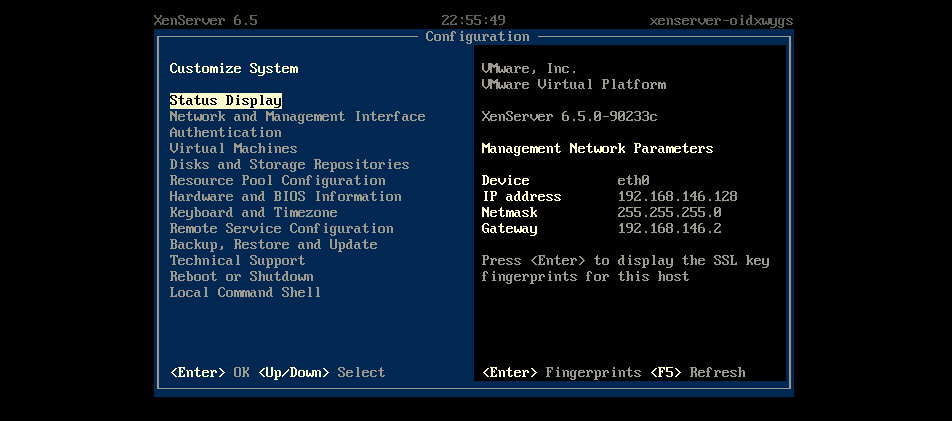
本文介绍在CentOS7系统上增加GUI界面的方法。
Linux系统的终端输入/输出设备一般称为TTY,是TeleTypewriter的缩写, 它的历史可以参考这两篇文章:
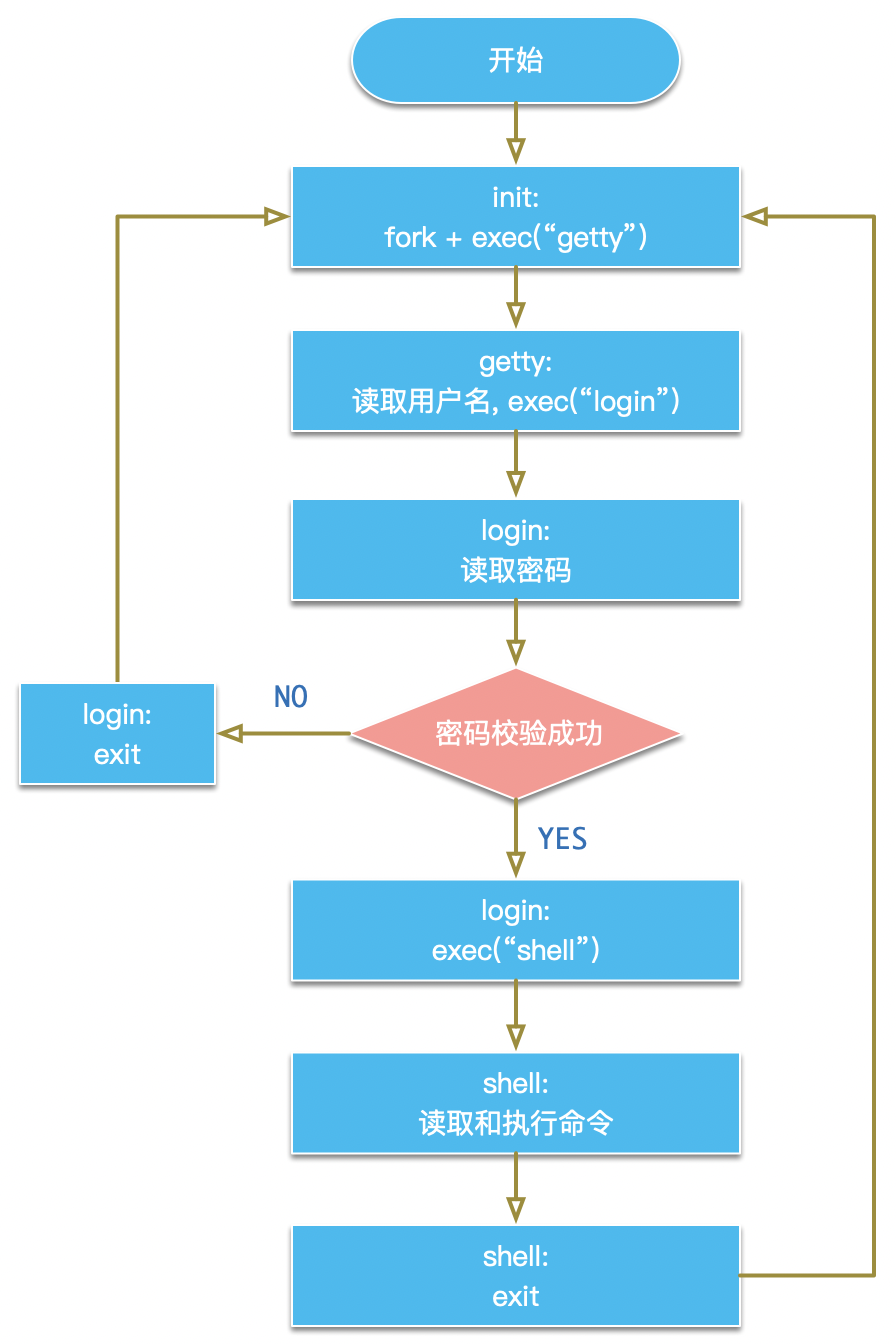
getty是管理物理或者虚拟终端(ttys)程序的通用名称,表示get tty,用于防止非授权访问系统。当getty检测到终端连接时,它获取用户输入用户名, 然后执行login程序获取用户输入密码来进行登录校验。
从终端登录的一般过程是:
- 系统内核启动完成后,会启动
init进程,它是一号进程。 init进程会在特定的tty启动getty进程获取用户名。- 调用
exec执行login程序处理登录过程 login登录校验成功后,执行相应用户指定的shell程序
整体的流程图如下:
CentOS7上的init程序已经从SysV init换为systemd,安装的getty程序为agetty。默认情况下,CentOS7有6个可用的tty,可以使用Ctrl + Alt + F[1-6]进行切换访问。
根据上述的终端登录流程,想要在终端显示GUI程序可以有几种方法:
- 将
GUI程序作为getty程序执行 - 将
GUI程序替换login程序执行,这种方式需要跳过getty程序读取用户名的步骤 - 将
GUI程序作为shell程序执行,这种方式需要完成自动登录,跳过密码校验之前的步骤
CentOS的init程序为systemd。它通过service模板来定义getty服务,从而支持多个getty程序启动:
1 | [root@default ~]# systemctl list-units --type=service |grep tty |
下面分别来简单实验一下这几种方式。
将GUI程序作为getty程序执行
我们写一个简单的GUI程序来替换getty, getty程序需要将标准输入/输出指向/dev/ttyN(N为数字)驱动文件。可以参考agetty的实现,它位于包:
1 | [root@default ~]# rpm -qf /sbin/agetty |
之前的文章<<TUI库newt和snack简要介绍>>介绍过Redhat的TUI库newt, 这里基于newt实现一个简单的登录界面,tuilogin.c:
1 |
|
编译:
1 | gcc -o tuilogin tuilogin.c -lnewt |
程序功能为,当用户名输入root,密码输入123456时,执行bash进程。
将编译后的tuilogin放到/sbin/目录。
然后使用systemd的drop-in files机制来修改tty1的启动逻辑:
1 | systemctl edit getty@tty1 |
输入内容:
1 | [Service] |
这会创建文件/etc/systemd/system/getty@tty1.service.d/override.conf
重启系统:
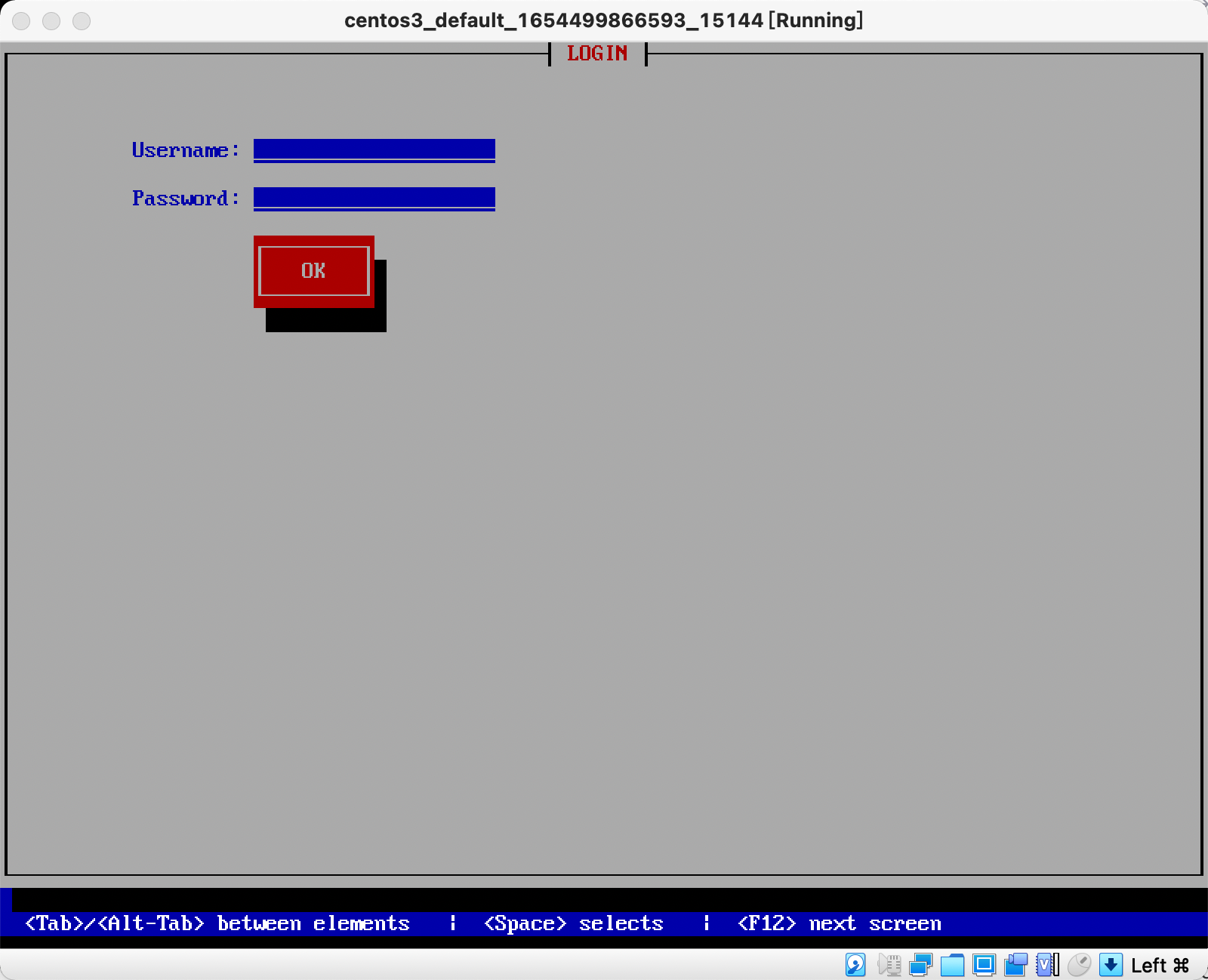
可以看到TUI程序在机器启动时执行,当输入root和123456之后,进入bash界面。
将GUI程序替换login程序执行
因为agetty已经处理了/dev/ttyN文件的处理,我们去掉上述代码中tty的处理逻辑:
1 |
|
agetty程序支持通过命令行指令被调用的login程序:
1 | -l, --login-program login_program |
1 | -n, --skip-login |
再次修改getty@tty1的drop-in file:
1 | systemctl edit getty@tty1 |
内容为:
1 | [Service] |
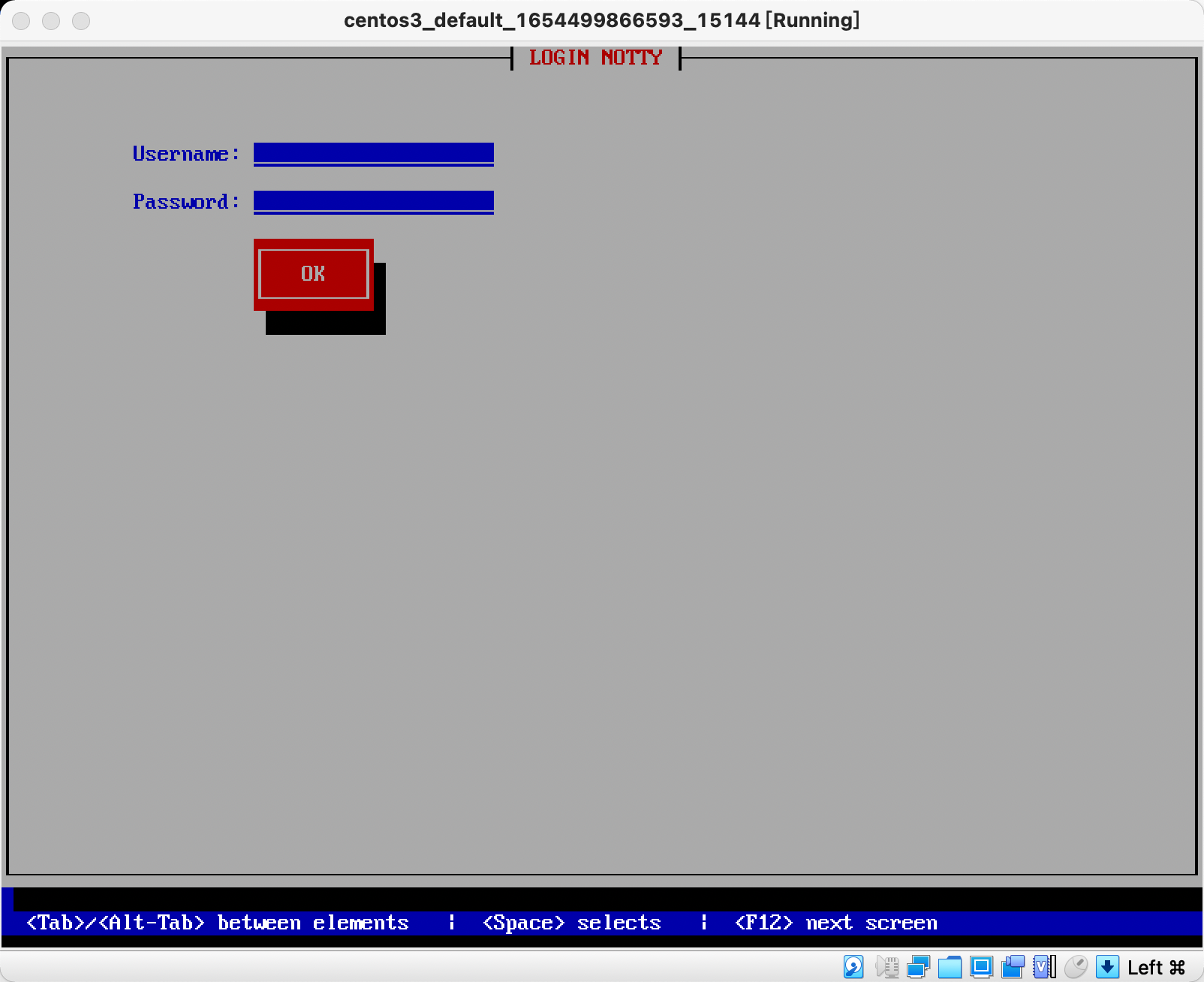
重启系统, 可以看到新的TUI程序正常执行:
将GUI程序作为shell程序执行
这种方式需要完成自动登录,跳过密码校验之前的步骤,可以使用agetty的-a选项:
1 | -a, --autologin username |
再次修改getty@tty1的drop-in file:
1 | systemctl edit getty@tty1 |
内容为:
1 | [Service] |
这次我们使用dialog程序来创建一个TUI程序用来和之前的窗口区分。
安装dialog:
1 | yum install -y dialog |
创建/sbin/tuilogin_shell文件:
1 |
|
修改/etc/passwd中root帐号的shell部分为/sbin/tuilogin_shell:
1 | root:x:0:0:root:/root:/sbin/tuilogin_shell |
重启系统, 可以看到执行成功:
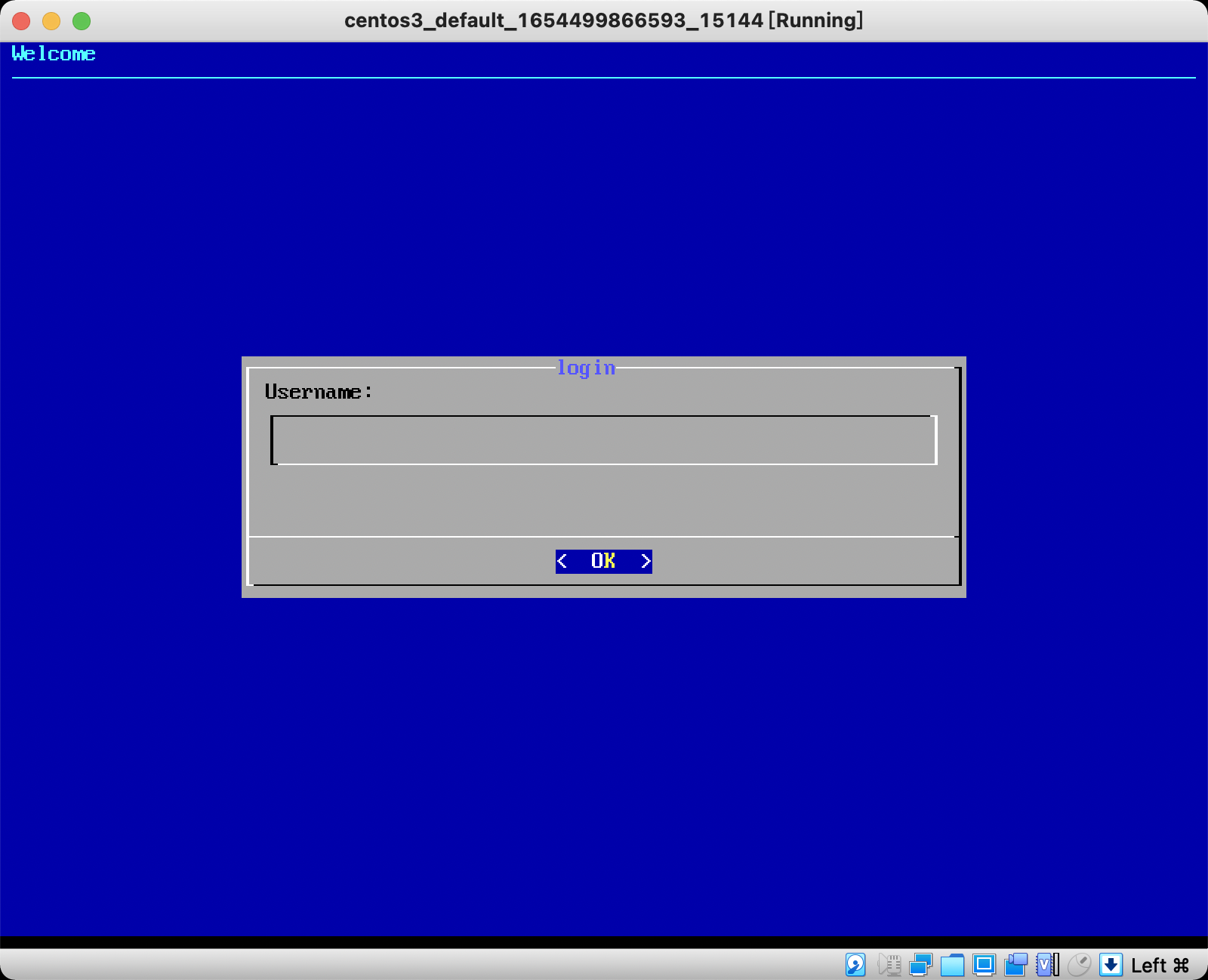
参考:
- https://itsfoss.com/what-is-tty-in-linux/
- https://www.linusakesson.net/programming/tty/index.php
- https://en.wikipedia.org/wiki/Getty_(Unix)
- https://linux.die.net/sag/login-via-terminal.html
- https://vedslinux.blogspot.com/2014/06/login-process-in-linux.html
- https://www.howtogeek.com/428174/what-is-a-tty-on-linux-and-how-to-use-the-tty-command/
- https://everyday.codes/linux/services-in-systemd-in-depth-tutorial/
- https://www.linux.com/training-tutorials/understanding-and-using-systemd/
- https://www.digitalocean.com/community/tutorials/systemd-essentials-working-with-services-units-and-the-journal
- https://www.digitalocean.com/community/tutorials/how-to-use-systemctl-to-manage-systemd-services-and-units
- https://www.digitalocean.com/community/tutorials/how-to-use-journalctl-to-view-and-manipulate-systemd-logs
- https://www.digitalocean.com/community/tutorials/understanding-systemd-units-and-unit-files
- https://fedoramagazine.org/what-is-an-init-system/
- https://fedoramagazine.org/systemd-template-unit-files/
- https://www.thegeekdiary.com/centos-rhel-7-how-to-disable-all-tty-consoles-and-enable-only-1/
- https://man7.org/linux/man-pages/man8/agetty.8.html
- https://www.humbug.in/2010/utility-to-send-commands-or-data-to-other-terminals-ttypts/